Highlights
Struggling with disorganized spreadsheets, chasing late payments, and spending hours on manual invoicing? You’re not alone.
For small businesses and freelancers, managing cash flow is a crucial part of business, but the administrative burden of invoicing can be a major roadblock. But with the right online invoicing software, anyone can automate this entire process, from sending professional invoices to accepting online payments and tracking expenses, freeing up your time to focus on growing your business.
At invoicemojo.com, we live and breathe business software. Our team of experts has spent years testing and reviewing hundreds of tools to help businesses like yours find the perfect solutions. We’ve waded through the crowded market of invoicing software to identify the platforms that truly deliver on their promises. This guide provides a comprehensive look at the best online invoicing software available today, so you can make an informed decision and find a tool that fits your unique needs.
We take our responsibility to provide unbiased, accurate, and helpful advice seriously. Our recommendations are based on a rigorous and independent review process. We’ve tested over 20 invoicing platforms, analyzing their features, ease of use, pricing, and customer support. Our team has a deep understanding of the challenges small businesses face, and we’ve used that knowledge to evaluate these tools from a real-world perspective.
We are also not influenced by software vendors: our opinions are our own. While we may earn a commission from some of the links in this article, this does not affect our rankings or recommendations. Our goal is to provide you with the most comprehensive and trustworthy information possible so you can choose the best invoicing software with confidence.
Here are our top picks for the 15 best online invoicing software platforms, out of the 20 tools we reviewed:
QuickBooks Online – Ideal all-in-one solution for accounting and invoicing.
FreshBooks – Great for freelancers and service-based businesses.
Zoho Invoice – A feature-rich invoicing platform that’s completely free.
Hiveage – Simple, fast, and perfect for freelancers and small teams.
Wave – Strong free option for startups needing invoicing and accounting.
Xero – Scalable accounting software built for growing businesses.
Stripe Invoicing – Best for businesses already using Stripe payments.
Square Invoices – Perfect for brands using Square POS tools.
InvoiceNinja – Open-source invoicing with a self-hosting option.
Invoicely – Excellent for handling multi-currency invoicing.
Bill.com – Automates both accounts payable and receivable processes.
Harvest – Combines invoicing with built-in time tracking for teams.
Zervant – EU-friendly invoicing tailored for European businesses.
Invoice Office – Made for managing multiple companies under one system.
Paydirt – Ideal for freelancers who track time and want effortless payments.
To simplify your decision-making, this comparison chart breaks down the essential details of our top six invoicing and project management tools from the 15 reviewed above to assist you in finding the ideal match for your business and budget.
| Tool | Best For | Free Trial | Price |
| QuickBooks Online | All-in-one accounting and invoicing | 30 days | From $19/month |
| FreshBooks | Service-based businesses | 30 days | From $21/month |
| Zoho Invoice | Free invoicing with generous features | Free plan available | From $0 |
| Hiveage | Freelancers and small teams | Free plan available | From $0 |
| Wave | Free invoicing and accounting | Free plan available | From $0 |
| Xero | Growing businesses | 30 days | From $7.50/month |
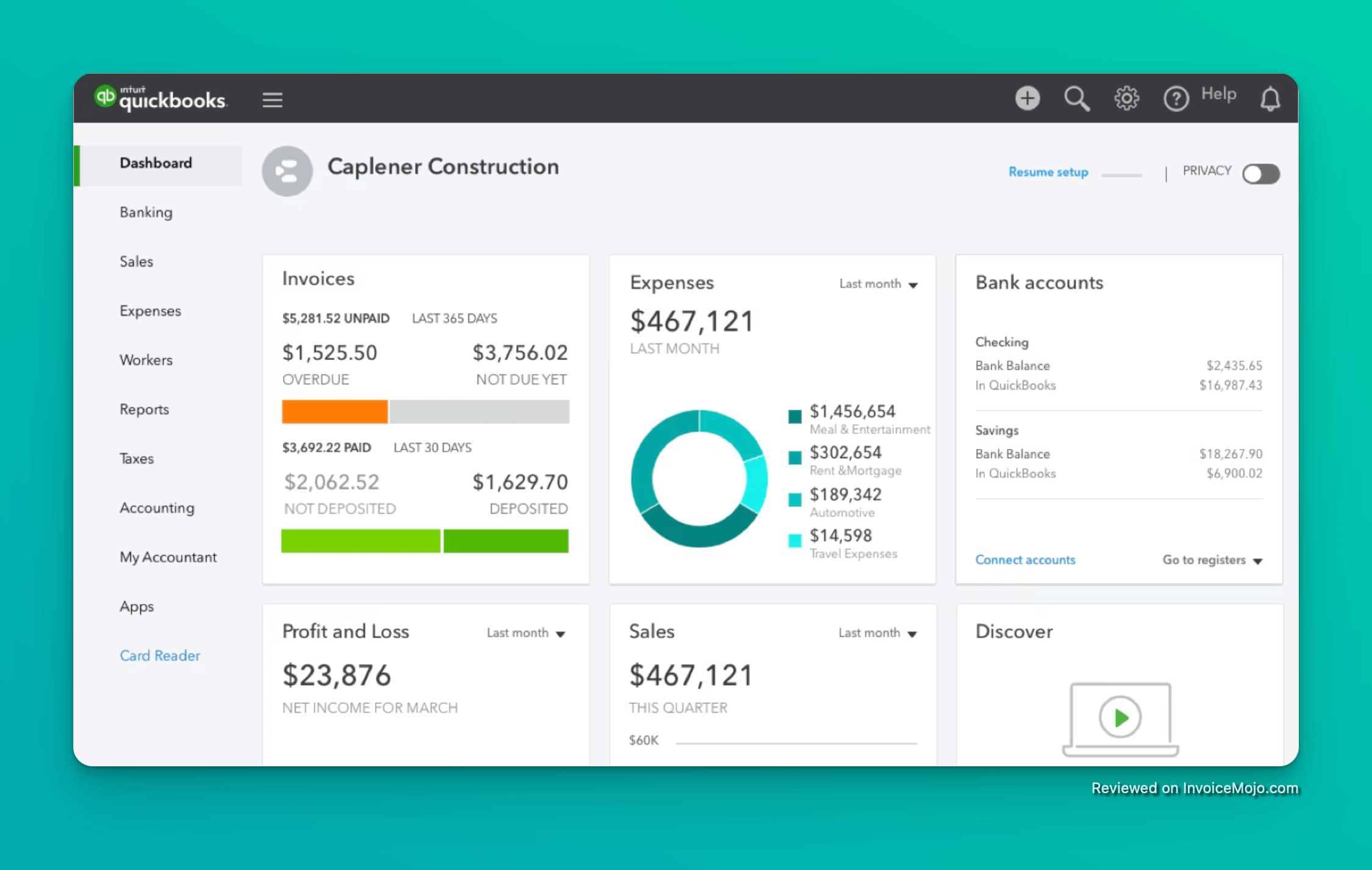
Best for all-in-one accounting and invoicing
QuickBooks Online is a household name in the world of accounting software, and for good reason. It offers a comprehensive suite of tools that go far beyond invoicing, including expense tracking, payroll, and detailed financial reporting. For businesses that need a single solution to manage all their finances, QuickBooks is a top contender.
Why We Picked It: We chose QuickBooks Online for its robust feature set and scalability. It’s a tool that can grow with your business, from the early days of freelancing to managing a team of employees. The invoicing features are seamlessly integrated with the accounting tools, making it easy to track payments and get a clear picture of your financial health.
Pricing: Plans start at $19/month for the Simple Start plan.
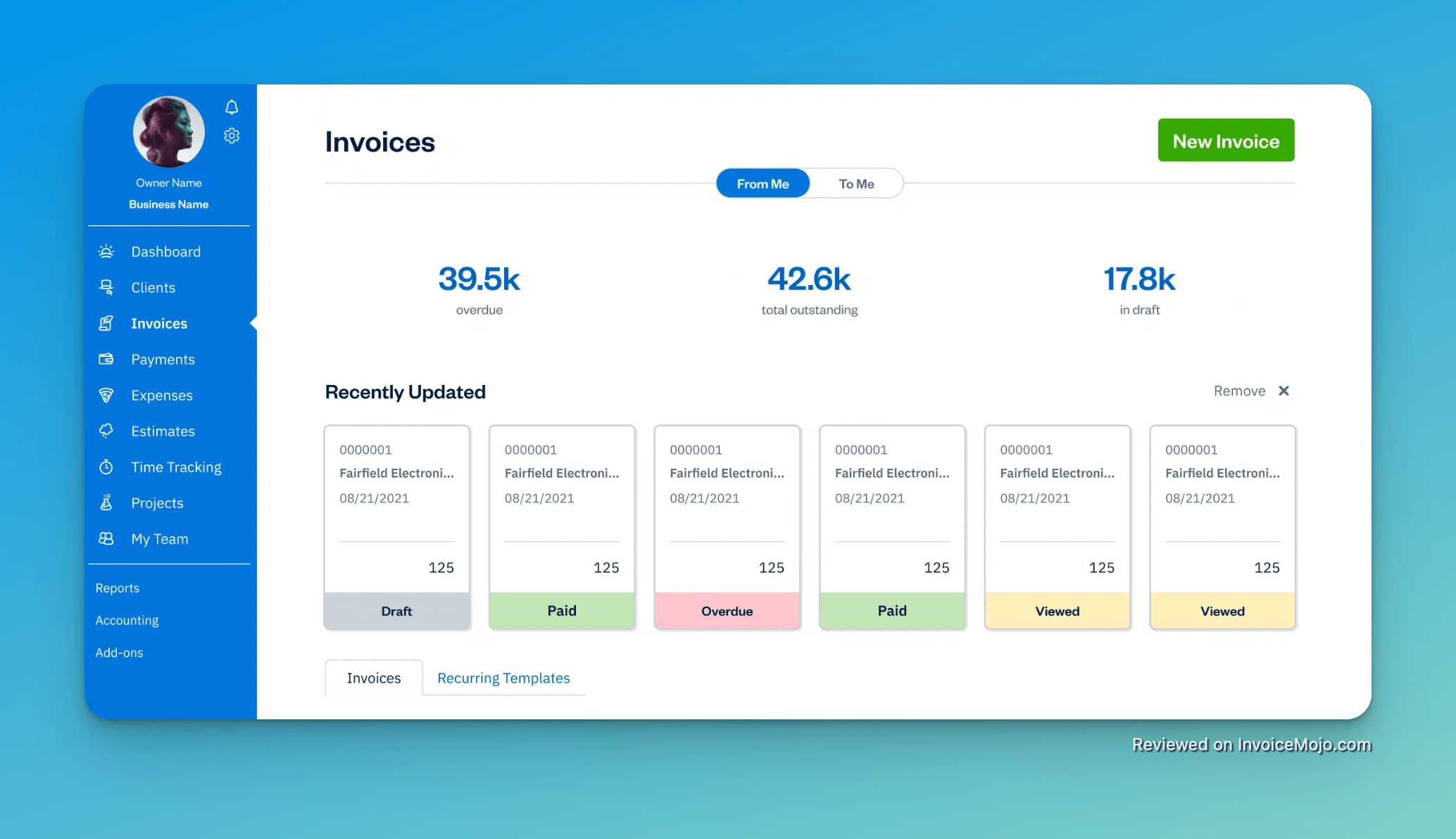
Best for service-based businesses and freelancers
FreshBooks is designed specifically for service-based businesses, and it shows. The platform is incredibly user-friendly and makes it easy to create professional-looking invoices, track time, and manage expenses. If you’re a freelancer, consultant, or run a small agency, FreshBooks is an excellent choice.
Why We Picked It: We were impressed by FreshBooks’ focus on the needs of service-based businesses. The time tracking features are particularly well-designed, allowing you to easily bill clients for your hours. The platform also offers a great mobile app, so you can manage your invoicing on the go.
Pricing: Plans start at $21/month for the Lite plan.
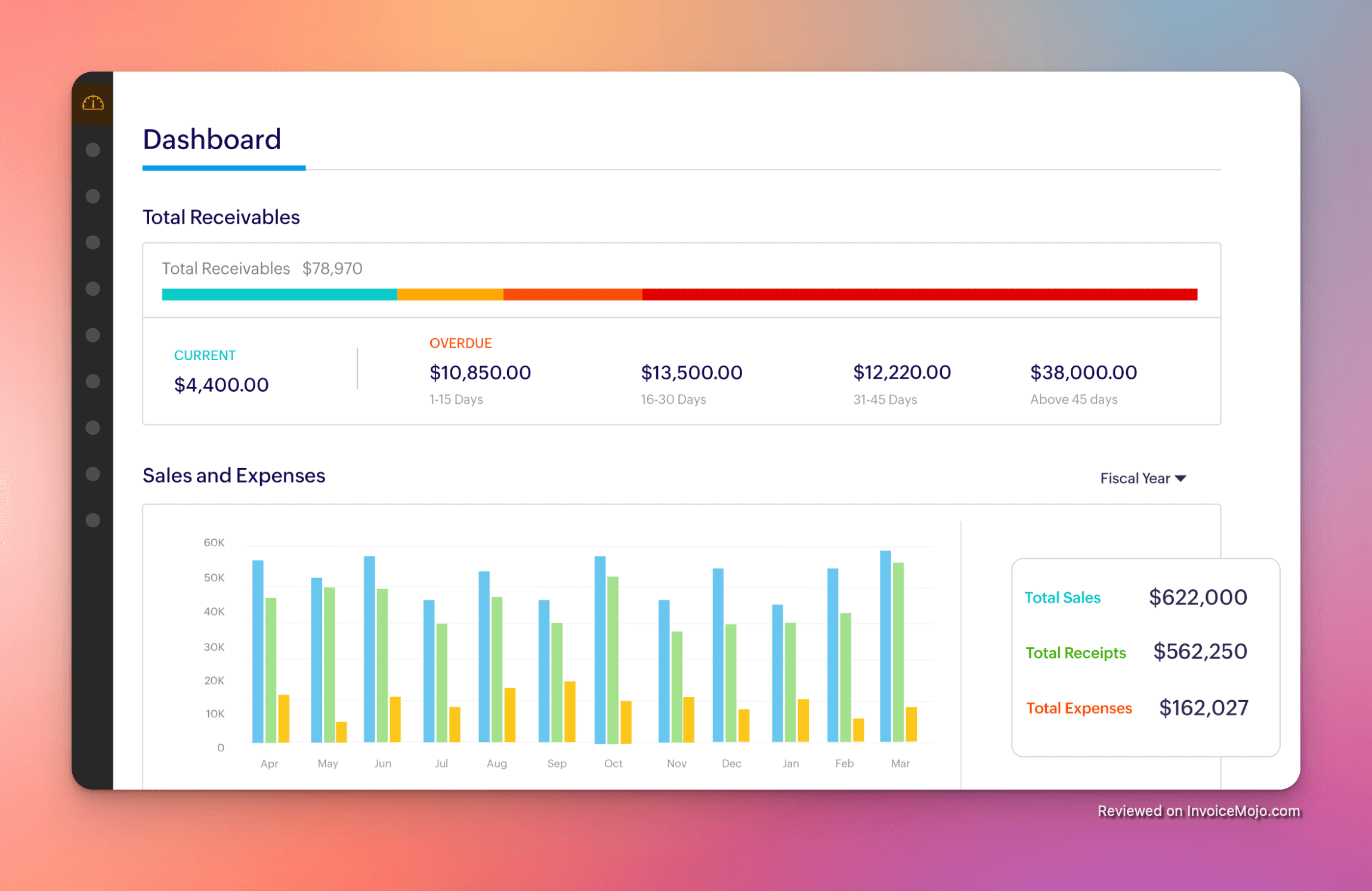
Best free invoicing software with generous features
Zoho Invoice is a standout option for businesses that need a powerful invoicing solution without the price tag. The free plan is surprisingly generous, offering a wide range of features that are often only found in paid software. For startups and businesses on a tight budget, Zoho Invoice is hard to beat.
Why We Picked It: We were blown away by the value that Zoho Invoice offers for free. The platform includes features like time tracking, expense management, and a client portal, all without costing a dime. It’s a great way for new businesses to get started with professional invoicing without a financial commitment.
Pricing: The free plan is available for businesses with up to $50,000 in annual revenue. Paid plans with more features start at $15/month.
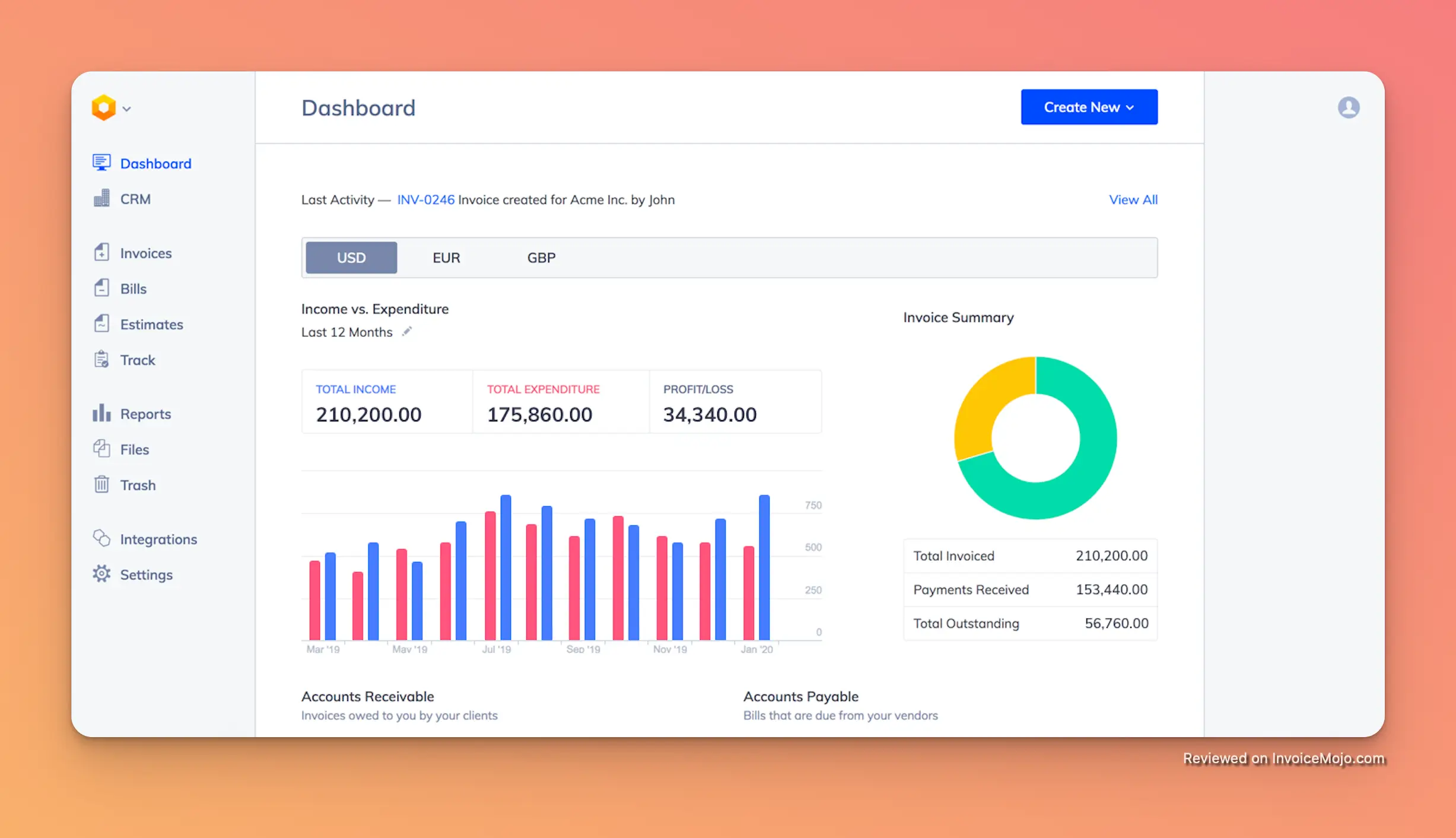
Best for freelancers and small teams needing a simple, powerful solution
Hiveage is a hidden gem in the crowded invoicing software market. While it may not have the brand recognition of some of the bigger players, it offers a surprisingly powerful set of features in a simple, user-friendly package. For freelancers and small teams who need an affordable and efficient way to manage their invoicing, Hiveage is a fantastic choice.
Why We Picked It: We were drawn to Hiveage’s elegant design and intuitive interface. It’s a tool that you can start using in minutes, without a steep learning curve. But don’t let its simplicity fool you – Hiveage is packed with features that can help you get paid faster and manage your finances more effectively. It’s a favorite among our team for its perfect balance of power and simplicity.
Pricing: The free plan is available for businesses alongside a paid plan, offering more features starting at $16/month.
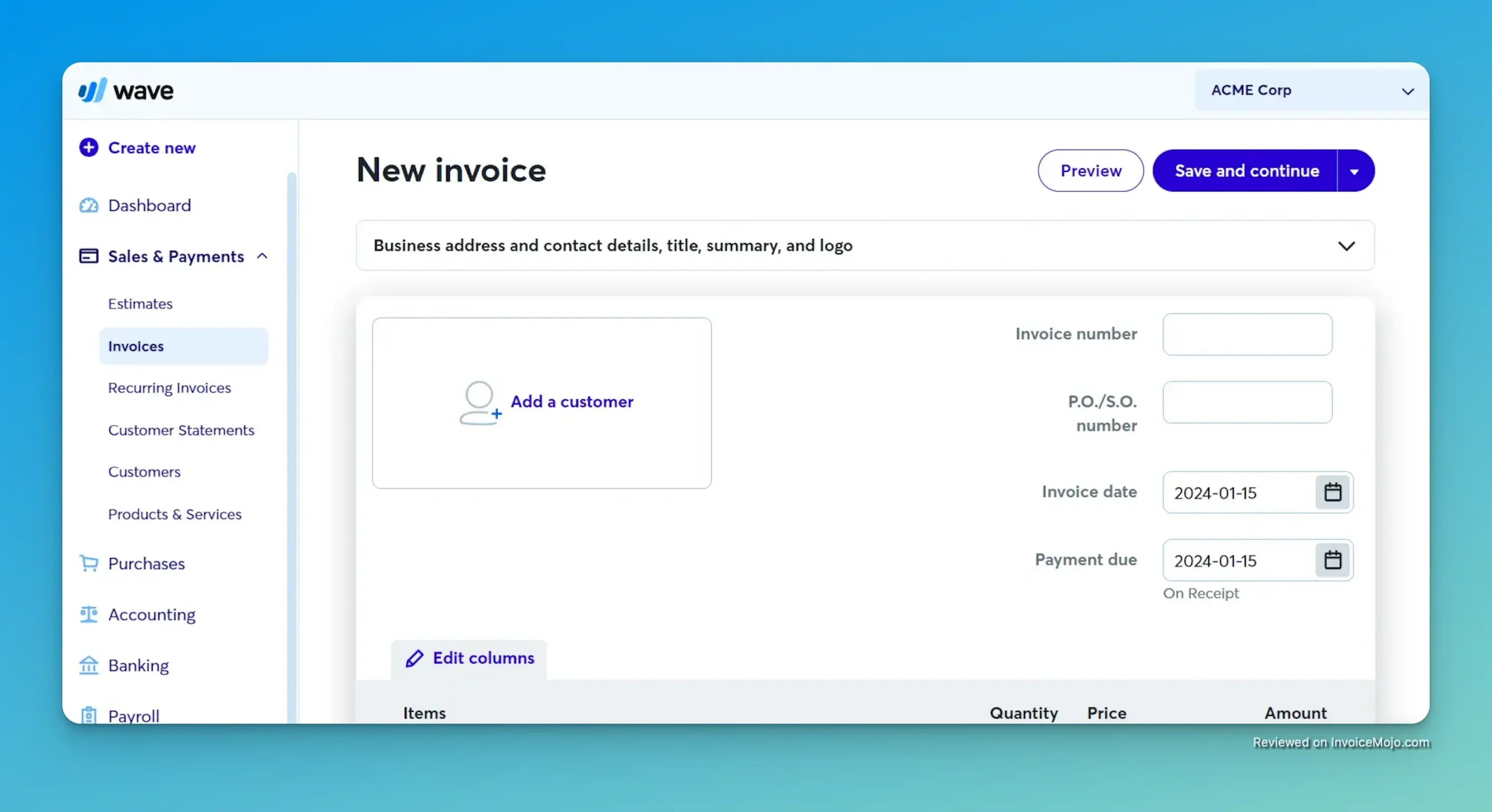
Best free invoicing and accounting software for startups
Wave is another excellent option for businesses on a budget. It offers a suite of accounting, invoicing, and receipt scanning tools for free. While it may not have all the advanced features of a paid platform like QuickBooks, it provides more than enough functionality for most startups and small businesses.
Why We Picked It: We love that Wave is committed to providing a truly free solution for small businesses. There are no monthly fees, and the invoicing and accounting features are surprisingly robust. It’s a great way to get your financial house in order without adding to your monthly expenses.
Pricing: Free for invoicing, accounting, and receipt scanning. Transaction fees apply for online payments.
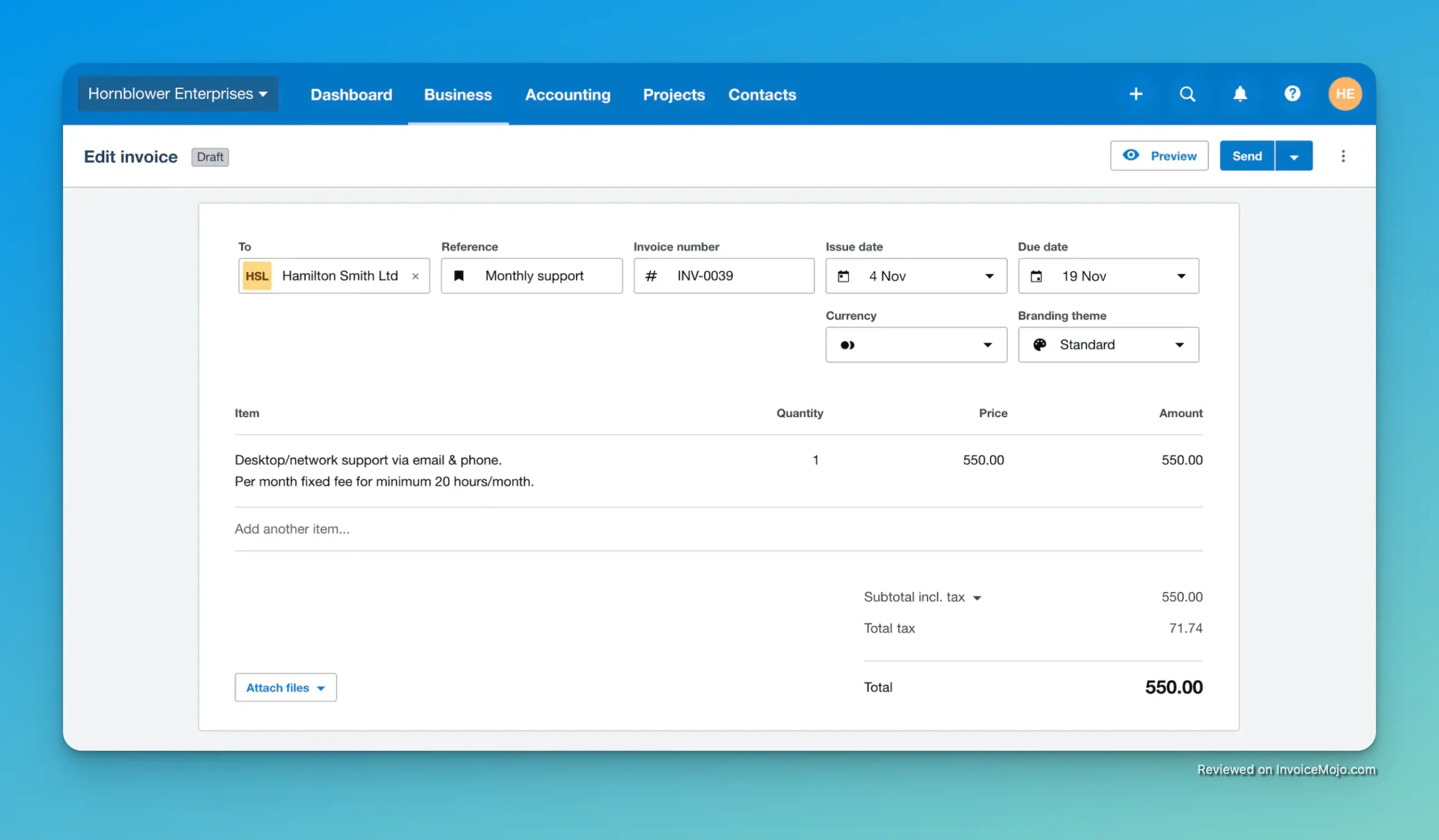
Best for growing businesses that need scalable accounting features
Xero is a powerful accounting platform that gives QuickBooks a run for its money. It’s particularly popular in Europe and Australia, but it’s also gaining traction in North America. With a clean interface and a wide range of features, Xero is a great choice for growing businesses that need a scalable accounting solution.
Why We Picked It: We were impressed by Xero’s focus on user experience. The platform is well-designed and easy to navigate, despite its powerful feature set. We also like that Xero offers unlimited users on all its plans, making it a cost-effective option for teams.
Pricing: Plans start at $7.50 a month for the Early plan.
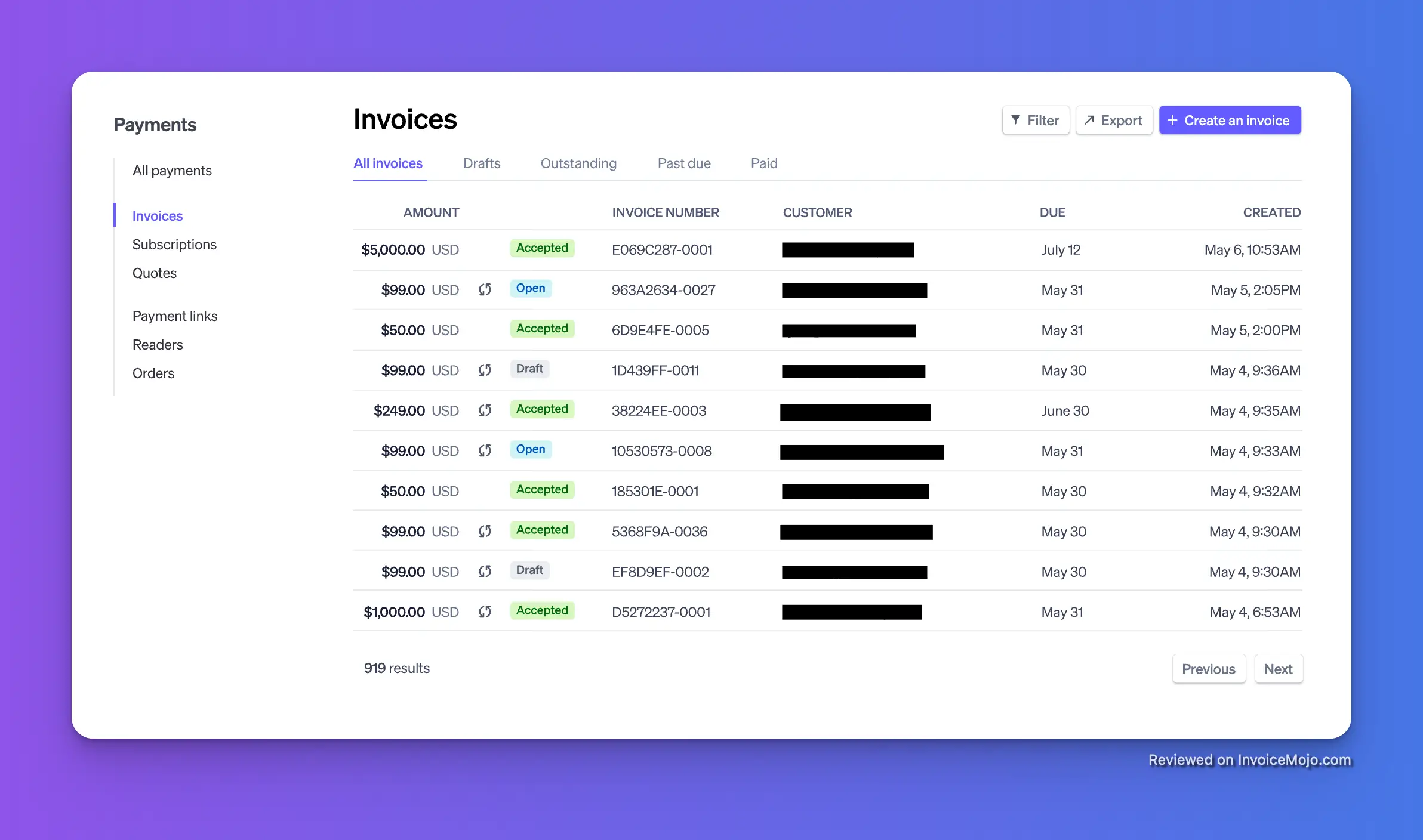
Best for businesses that already use the Stripe payment gateway
If you’re already using Stripe to accept payments, then Stripe Invoicing is a natural choice. It’s a simple and effective way to send invoices and get paid, and it’s seamlessly integrated with the rest of the Stripe ecosystem. For businesses that want to keep their payment processing and invoicing all in one place, Stripe Invoicing is a great option.
Why We Picked It: We like that Stripe Invoicing is a no-frills solution that gets the job done. It’s not trying to be a full-fledged accounting platform, but it excels at what it does: helping you get paid. The integration with the Stripe payment gateway is a major plus, as it makes it easy to accept payments from all over the world.
Pricing: Standard package has a 2.9% + 30¢ per successful transaction for domestic cards
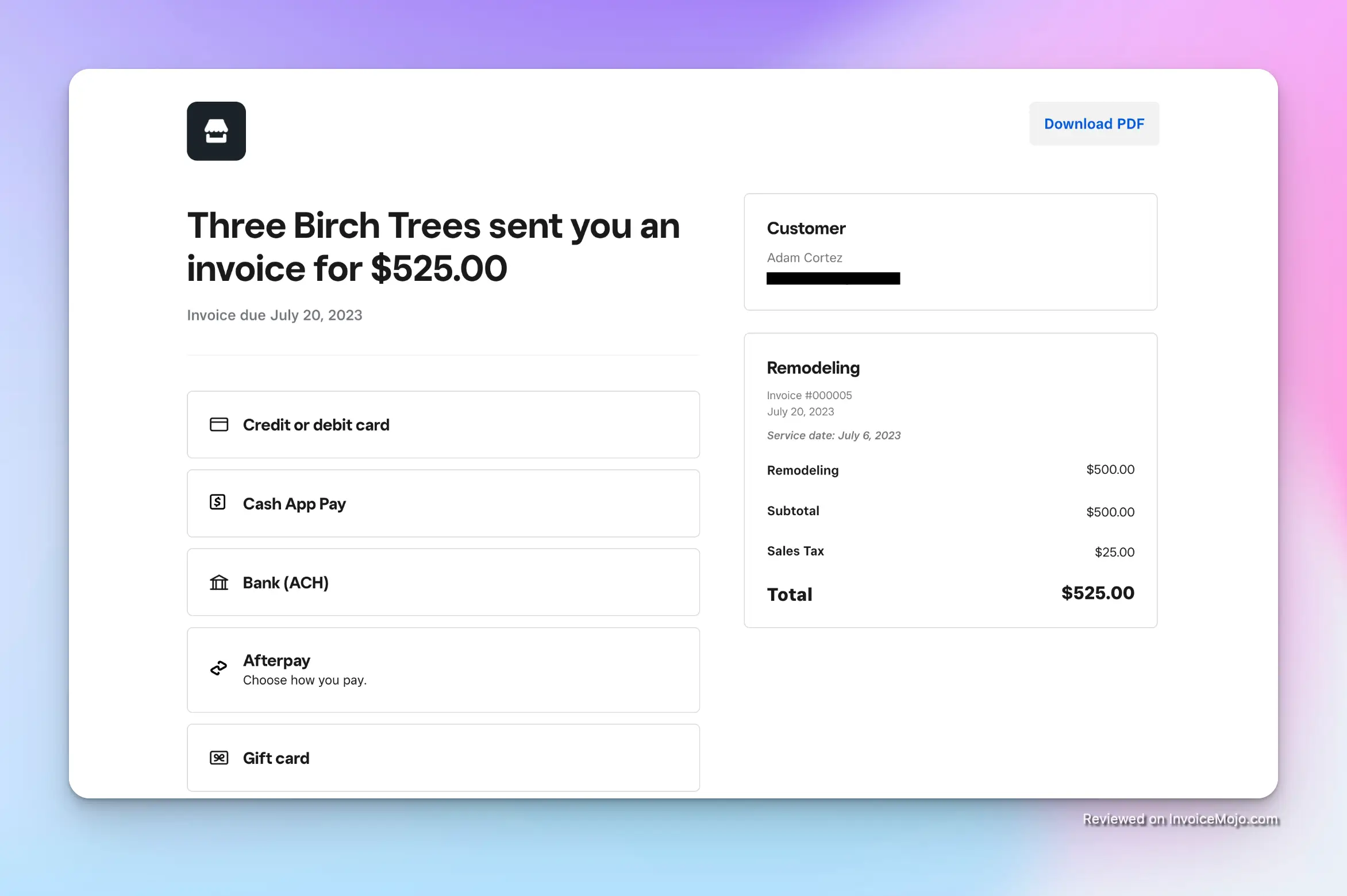
Best for businesses that use Square for point-of-sale
For businesses that are already using Square for their point-of-sale (POS) system, Square Invoices is a logical and convenient extension. It allows you to manage all your sales, whether in-person or online, from a single platform. This integration simplifies your workflow and provides a unified view of your business’s revenue.
Why We Picked It: The seamless integration with Square’s POS system is the key reason we selected Square Invoices. This makes it an incredibly efficient choice for retailers, restaurants, and other businesses that process transactions both in-person and online. The ability to manage all sales channels from one dashboard is a significant advantage.
Pricing: Free to send invoices; transaction fees apply for online payments.
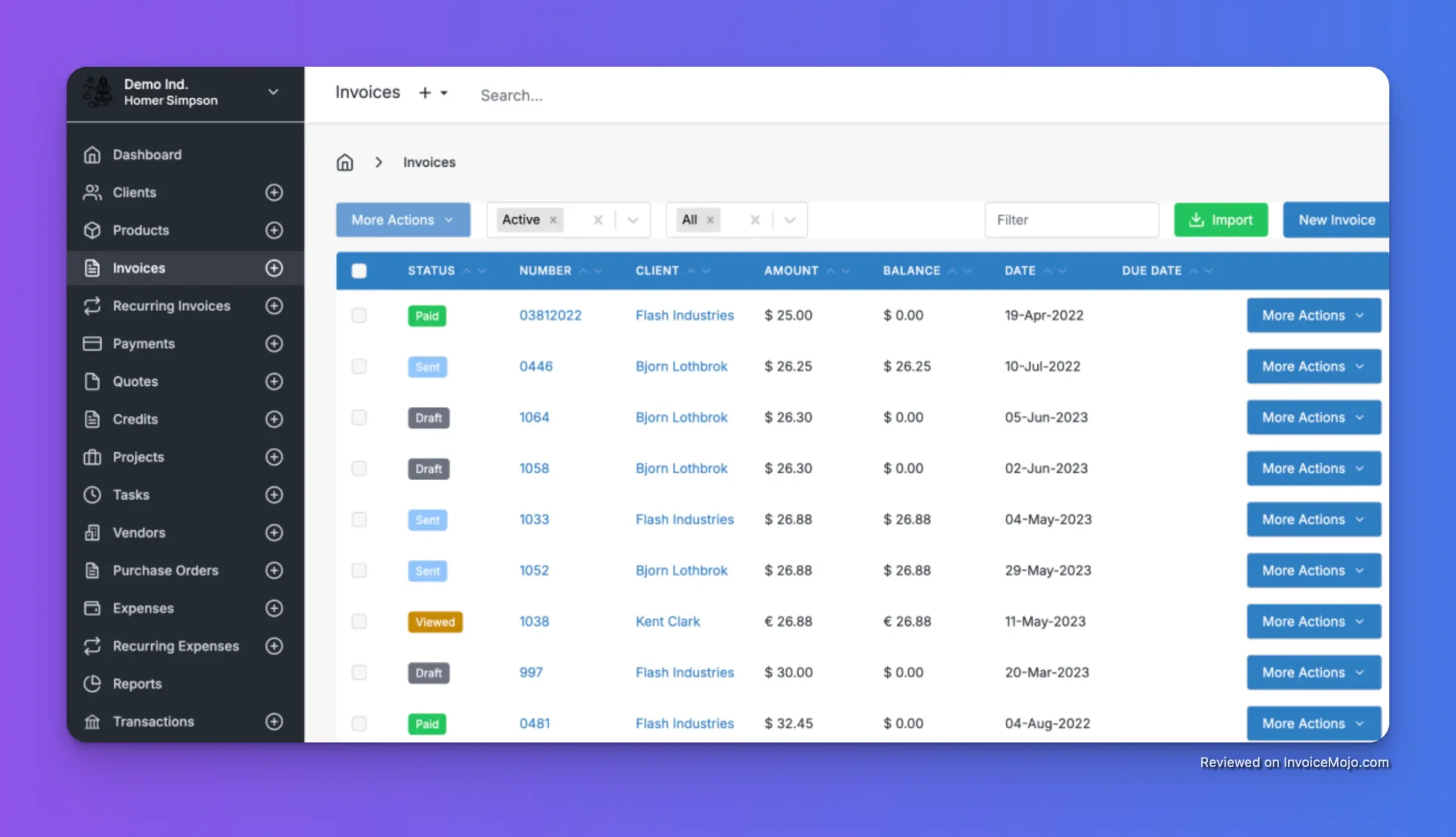
Best open-source invoicing software with a self-hosting option
InvoiceNinja is a unique and powerful option for businesses that want more control over their invoicing software. It’s an open-source platform, which means you can host it on your own servers and customize it to your heart’s content. For tech-savvy businesses that value flexibility and control, InvoiceNinja is an excellent choice.
Why We Picked It: We were impressed by InvoiceNinja’s open-source model and the flexibility it offers. The ability to self-host and customize the software is a major advantage for businesses with specific needs. The platform also offers a generous free plan for those who don’t want to self-host.
Pricing: Free plan available. Pro plan starts at $10/month.
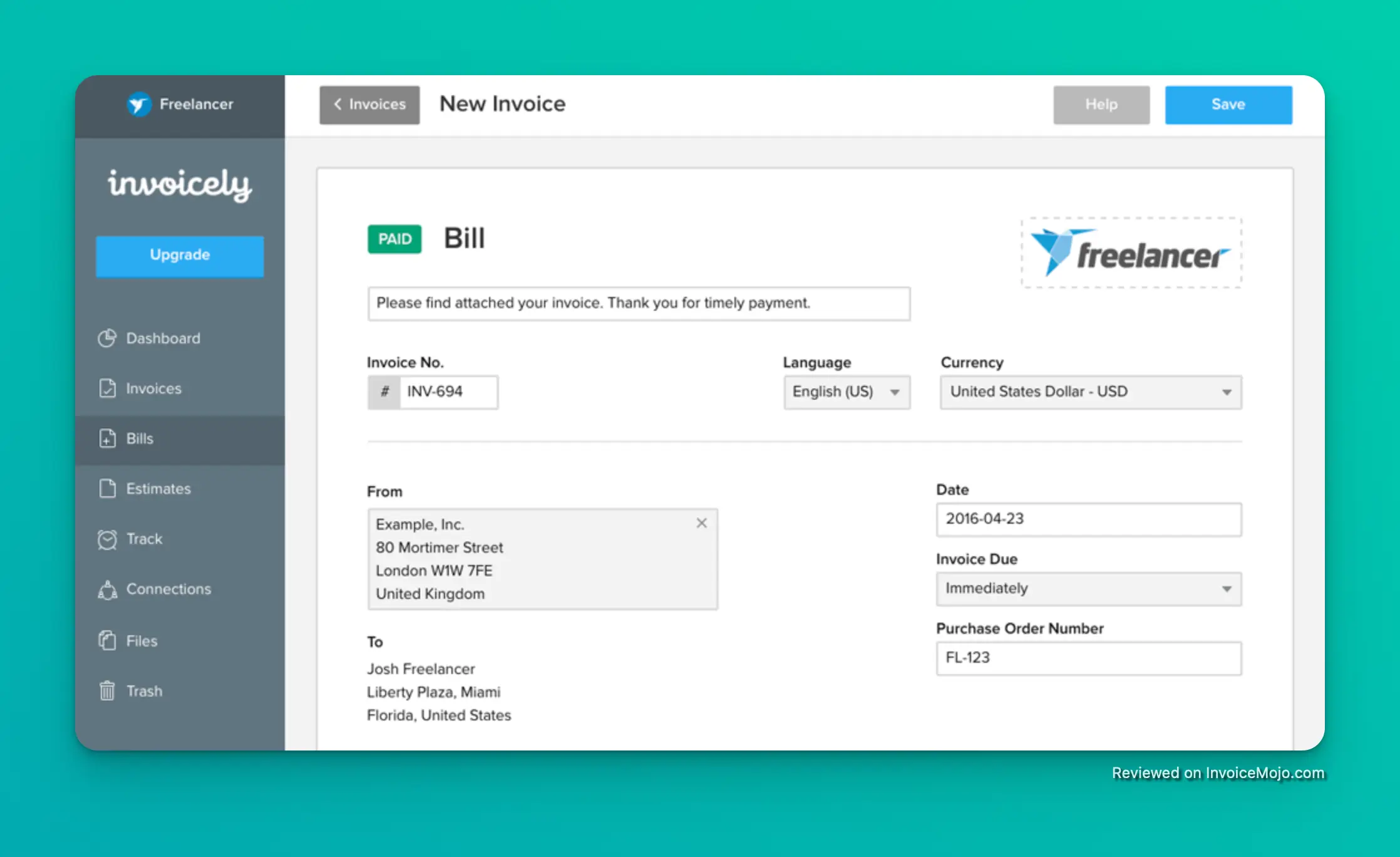
Best for businesses that need multi-currency invoicing
Invoicely is a straightforward and easy-to-use invoicing platform that is particularly well-suited for businesses that operate in multiple countries. With support for a wide range of currencies, Invoicely makes it easy to bill international clients in their local currency. This can help to reduce confusion and make it more likely that you’ll get paid on time.
Why We Picked It: We selected Invoicely for its robust multi-currency support and straightforward, no-nonsense approach to invoicing. The platform is easy to navigate and doesn’t overwhelm you with unnecessary features. If you need a reliable way to send invoices in multiple currencies, Invoicely is a great choice.
Pricing: Free plan available. Paid plans start at $9.99/month.
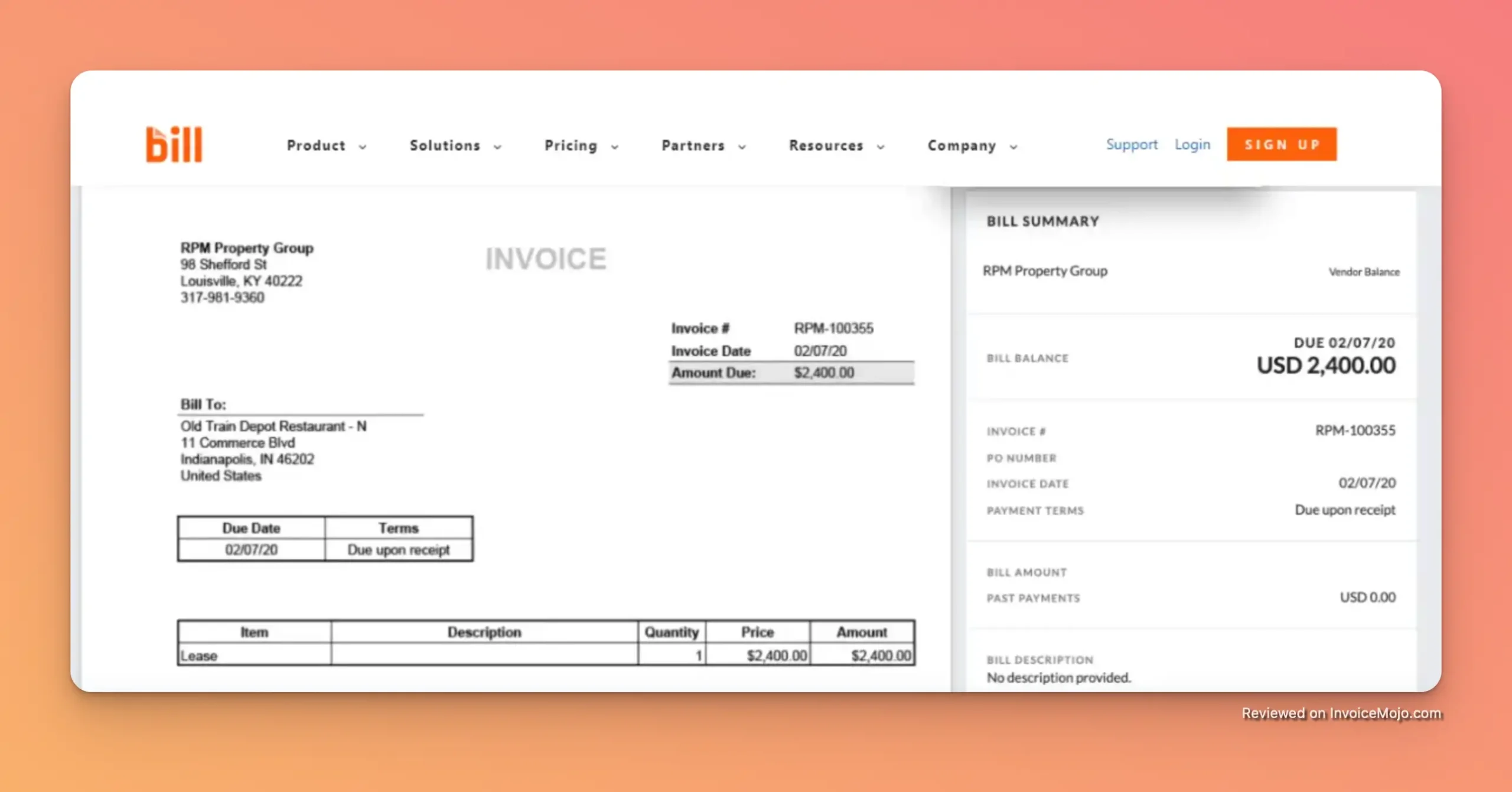
Best for businesses that need to automate their accounts payable and receivable
Bill.com is a powerful platform that goes beyond simple invoicing to offer a complete solution for managing your accounts payable and receivable. With features like automated bill payments and invoice processing, Bill.com can save you a significant amount of time and effort. For businesses that are looking to streamline their entire financial workflow, Bill.com is a top contender.
Why We Picked It: We were impressed by Bill.com’s focus on automation. The platform can automate many of the tedious tasks associated with accounts payable and receivable, freeing you up to focus on more strategic work. The platform also offers strong integration with popular accounting software like QuickBooks and Xero.
Pricing: Plans start at $45/user/month.
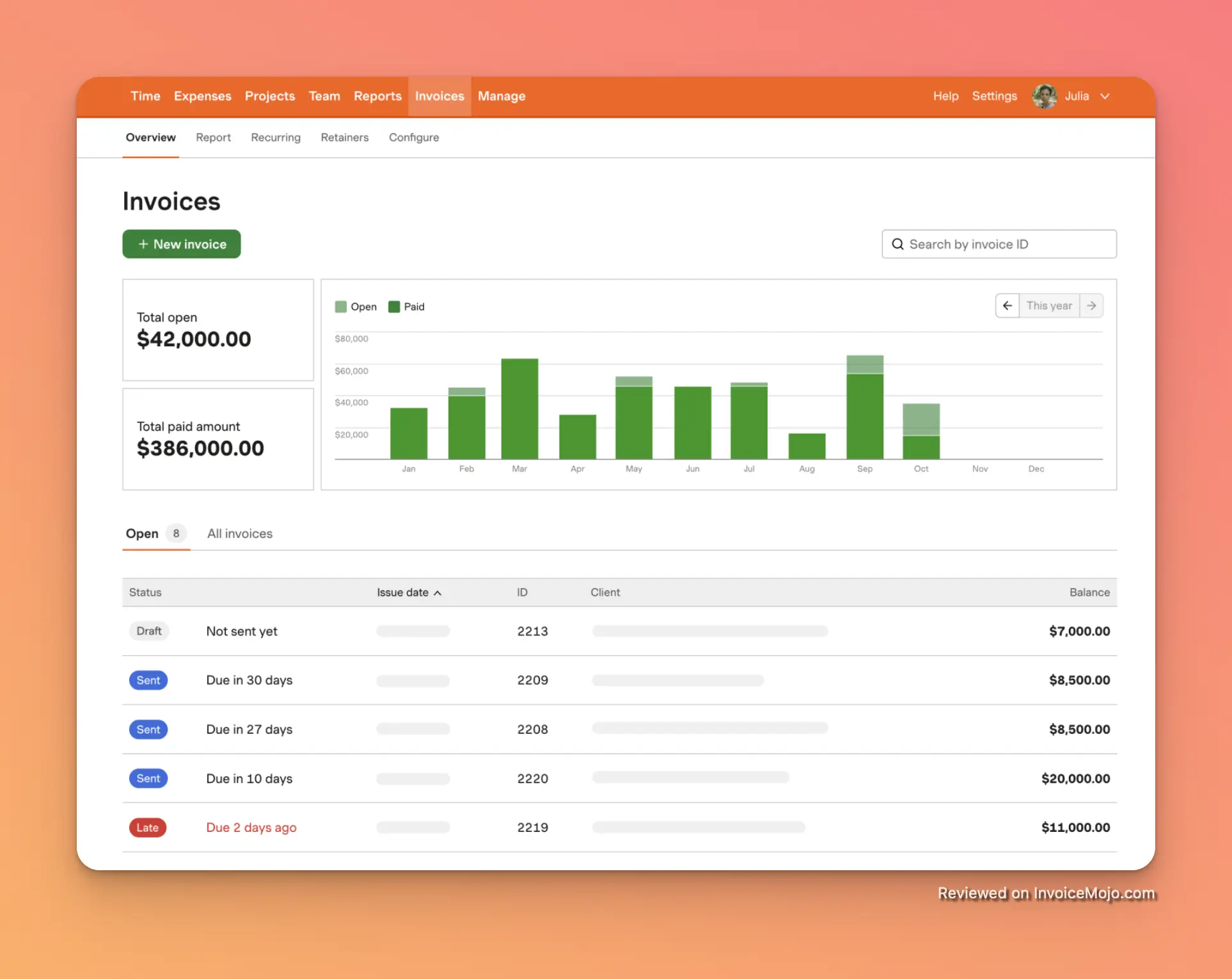
Best for teams that need integrated time tracking and invoicing
Harvest is a popular time tracking and invoicing platform that is perfect for teams that bill by the hour. With its intuitive interface and powerful features, Harvest makes it easy to track time, manage projects, and send accurate invoices. If your business relies on billable hours, Harvest is a must-have tool.
Why We Picked It: We were impressed by Harvest’s seamless integration of time tracking and invoicing. The platform makes it incredibly easy to turn your team’s billable hours into professional invoices, ensuring that you get paid for all your hard work. The platform also offers detailed reporting, so you can see where your team’s time is going and how profitable your projects are.
Pricing: Free plan available. Paid plans start at $11/user/month.
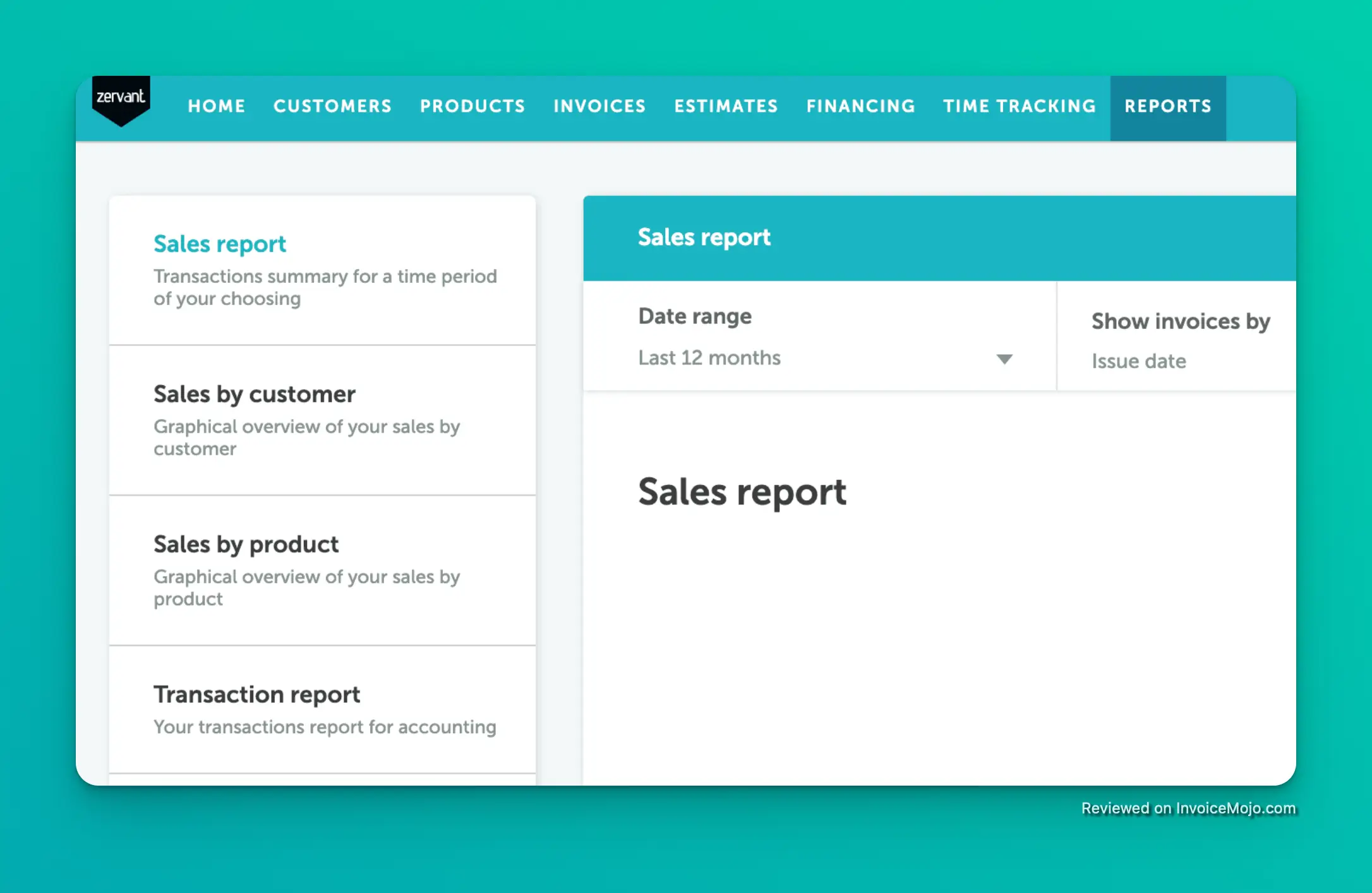
Best for European businesses that need EU-compliant invoicing
Zervant is a simple and easy-to-use invoicing platform that is designed specifically for European businesses. With support for EU VAT regulations and other country-specific requirements, Zervant makes it easy to send compliant invoices to clients across Europe. If you’re a European business that needs a hassle-free way to manage your invoicing, Zervant is a great choice.
Why We Picked It: We selected Zervant for its focus on the European market. The platform’s built-in support for EU VAT regulations is a major advantage for businesses that operate in Europe. We also like that the platform is available in multiple languages, making it easy to do business with clients from different countries.
Pricing: Free plan available. Paid plans start at £8,99/month.
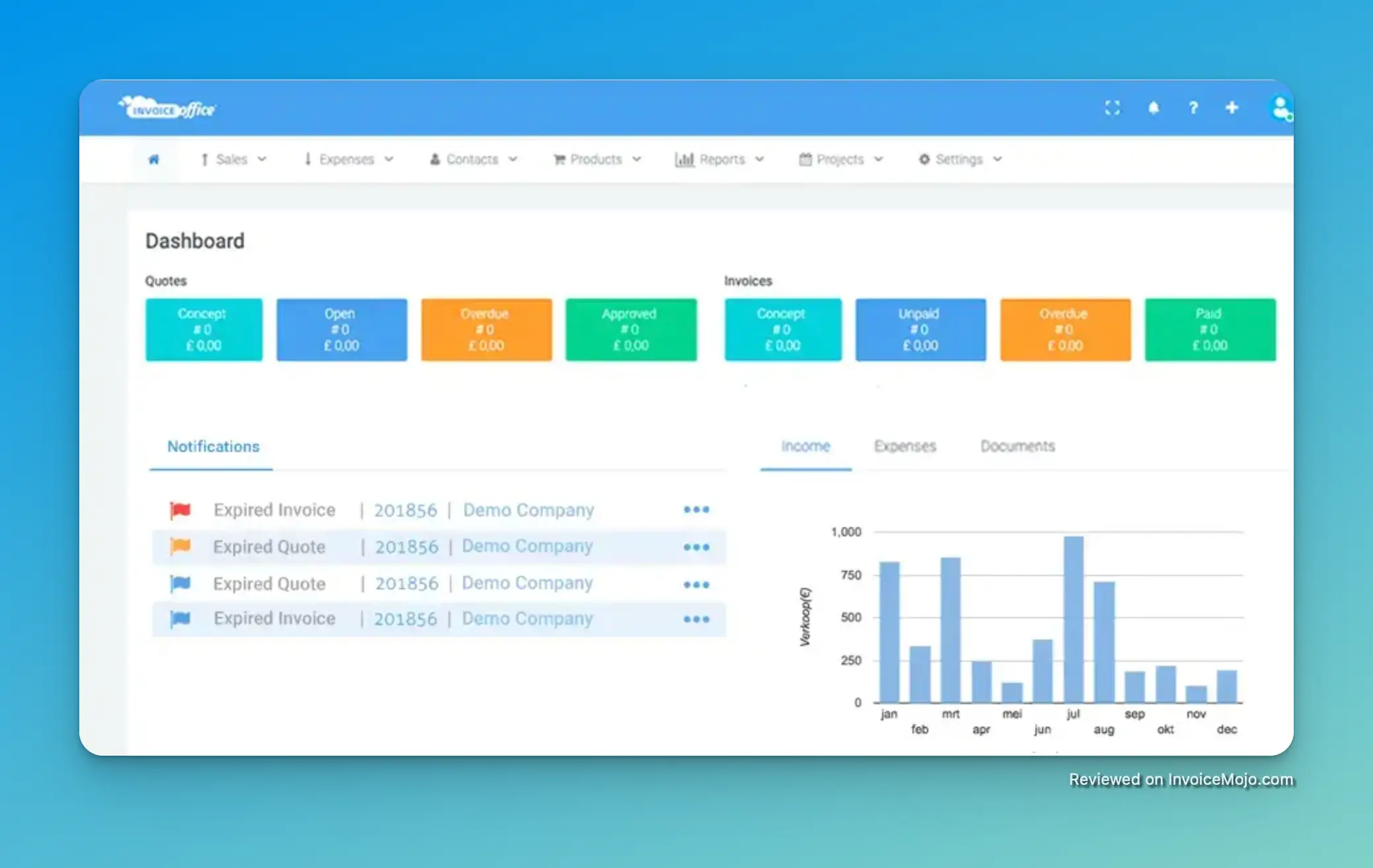
Best for businesses that manage multiple companies
Invoice Office is a versatile invoicing and accounting platform that is designed for businesses that manage multiple companies or entities. With its multi-business support, you can easily switch between different company profiles and manage your invoicing and accounting for each one separately. This is a great feature for entrepreneurs who run multiple businesses or for accounting firms that manage the books for multiple clients.
Why We Picked It: We were impressed by Invoice Office’s multi-business support, which is a rare feature in the invoicing software market. The platform also offers a comprehensive suite of accounting tools, including expense tracking, financial reporting, and CRM features. If you need to manage the finances for multiple businesses, Invoice Office is a top contender.
Pricing: Free plan available. Paid plans start at €11.99/month.
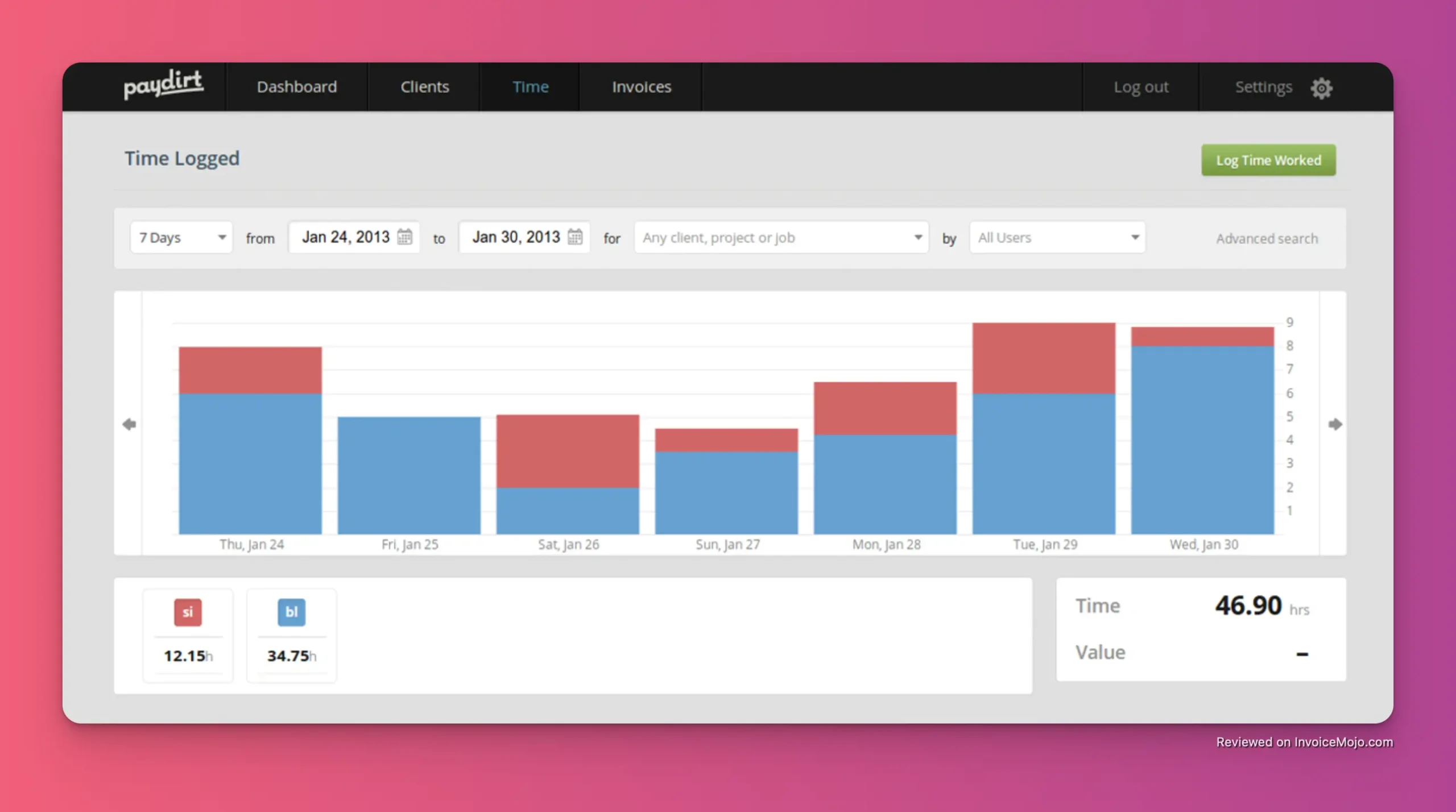
Best for freelancers who want to track time and get paid for it seamlessly
Paydirt is a smart and simple time tracking and invoicing platform that is designed for freelancers. With its intuitive interface and clever features, Paydirt makes it easy to track your time, create accurate invoices, and get paid for your work. If you’re a freelancer who is tired of juggling multiple tools to manage your time and invoicing, Paydirt is a great solution.
Why We Picked It: We were impressed by Paydirt’s focus on the needs of freelancers. The platform’s time tracking features are particularly well-designed, with a browser extension that makes it easy to track your time from anywhere on the web. We also like that the platform automatically creates invoices from your tracked time, saving you a significant amount of effort.
Pricing: Plans start at $7 monthly.
While the 15 platforms above represent our top picks, there are many other great invoicing tools on the market. Here are a few others that are worth considering:
With so many options to choose from, it can be tough to know which invoicing software is right for your business. Here are a few key factors to consider when making your decision:
What is the best free invoicing software?
For most users, Zoho Invoice and Wave are the best free invoicing software options. Both offer a generous set of features without any monthly fees.
Can I accept credit card payments with these tools?
Yes, all of the tools on our list allow you to accept credit card payments. Most of them also support other payment methods, such as bank transfers and PayPal.
Do I need accounting software if I have invoicing software?
It depends on your needs. If you just need to send invoices and track payments, then a simple invoicing tool may be all you need. However, if you need to manage your expenses, run financial reports, and prepare for tax time, then you’ll need a full-fledged accounting solution like QuickBooks or Xero.
Choosing the right online invoicing software is a critical decision for any small business. The right tool can save you time, help you get paid faster, and give you a clearer picture of your financial health. We hope this guide has helped you to narrow down your options and find the perfect invoicing software for your business.
No matter which tool you choose, the most important thing is to get started. Stop wasting time with manual invoicing and start automating your billing process today. Your future self will thank you for it.