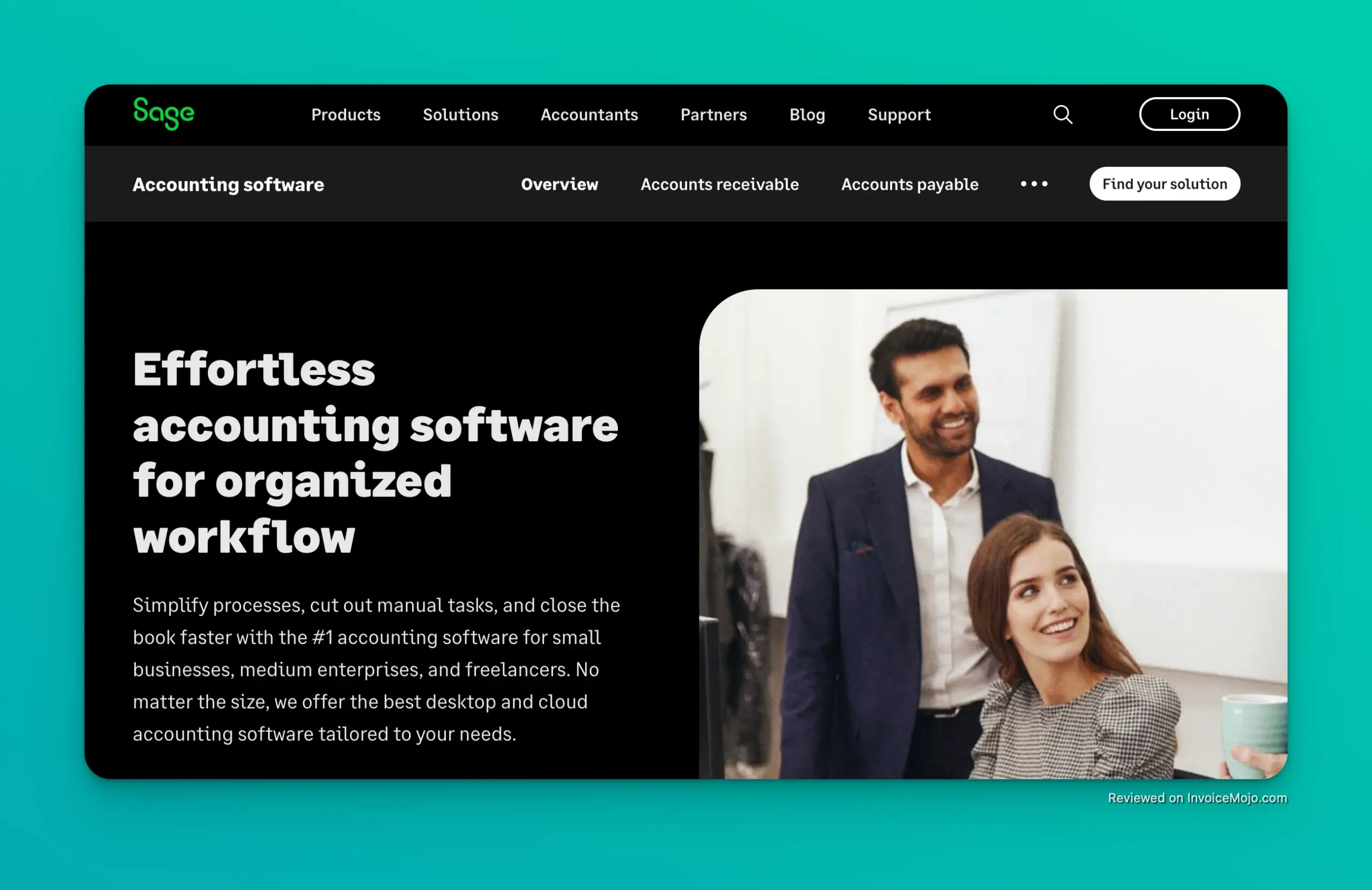
Sage Accounting Website
Sage Accounting Software (part of Sage Business Cloud Accounting) is a popular accounting application designed for freelancers and small business owners. This cloud-based accounting platform comes from Sage, a UK-based software company with over 40 years in the accounting software industry. As a trusted name in finance tech, Sage’s products are known for helping business owners simplify bookkeeping and stay on top of their finances. In this Sage Accounting Software review, we’ll explore key accounting features, pricing plans, pros and cons, and actual user feedback. We’ll also address common questions and see how Sage compares to competitors like QuickBooks Online, FreshBooks, and Patriot Software Accounting in the small business accounting service market. Whether you’re a freelancer needing simple invoicing or a small business requiring robust accounting work and inventory management, Sage Accounting Software aims to offer an affordable, scalable accounting solution. Let’s find out if it delivers on that promise, especially compared to other accounting software options.
Sage offers core accounting features that cover most day-to-day accounting needs for small business accounting:
Sage makes creating professional invoices and quotes straightforward. You can customize invoices and send them directly to clients, then track their payment status. The accounting software supports recurring invoices and payment reminders, helping business owners get paid faster. Sage Accounting integrates with payment processors like Stripe, PayPal, and GoCardless for online payments, so customers can pay you conveniently. This streamlines the billing process and improves cash flow for your small business.
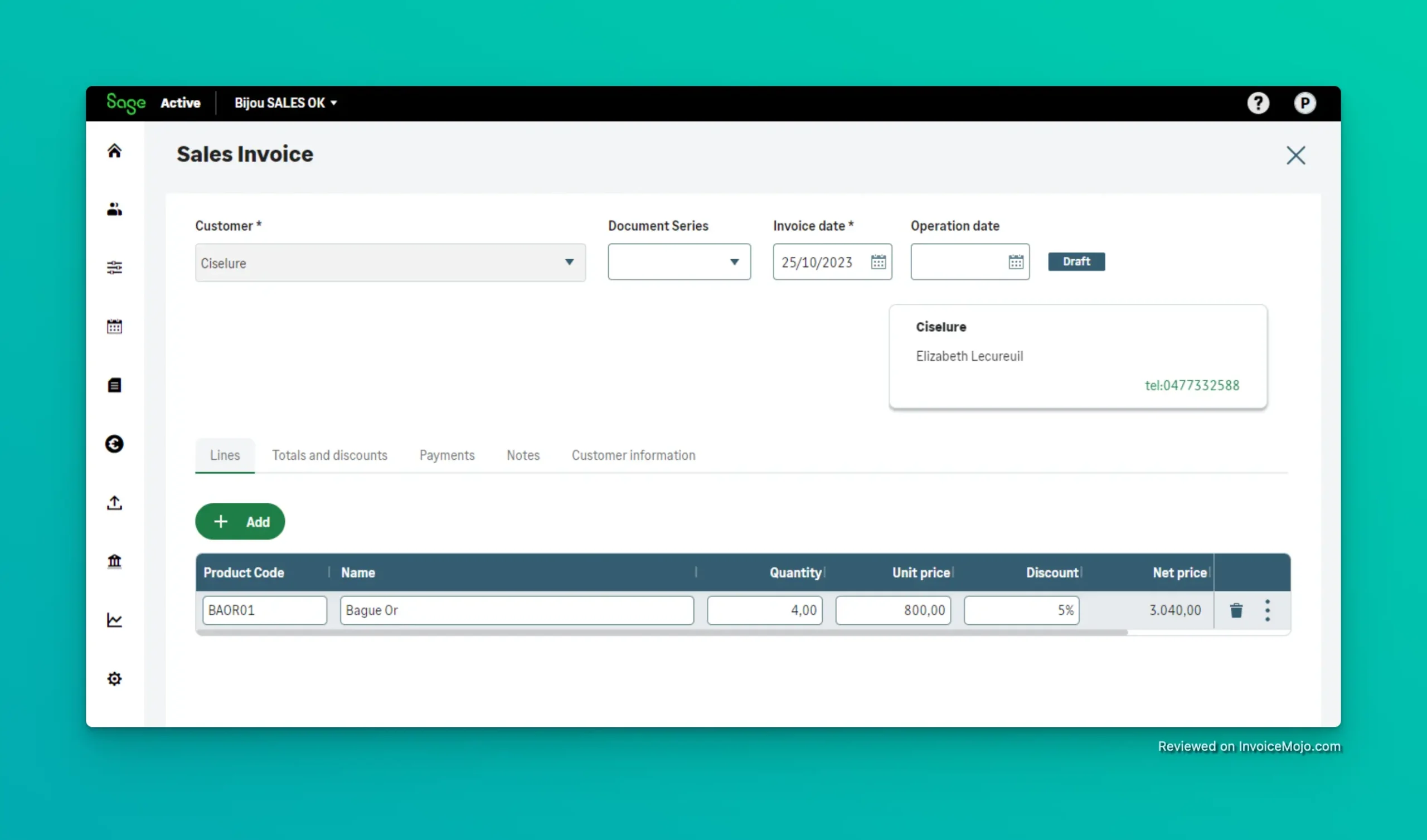
Creating an invoice in Sage Accounting
Keeping track of expenses is simple with Sage Accounting. You can connect your business bank accounts and credit cards for automatic bank feeds and reconciliation. Transactions import securely and Sage’s smart reconciliation tool matches them to your recorded income or expenses, flagging any discrepancies. This automation saves time and reduces human error in accounting work. You can also record expenses on the go – for example, by taking photos of receipts with the mobile accounting app. (Sage offers a built-in receipt capture feature through its AutoEntry integration, which is free for the first 3 months on the higher plan.) All of your expenses can be categorized for taxes, making tax software integration easier.
Understanding your cash flow is crucial for any small business accounting. Sage Accounting provides dashboards and reports to monitor money coming in and going out in real time. The accounting software shows you outstanding invoices (money you’re owed) and upcoming bills, giving you a quick view of your current liquidity. The higher-tier plan also includes cash flow forecasting tools, so you can project your bank balance and financial position into the future. These insights help business owners plan ahead and avoid cash crunches.
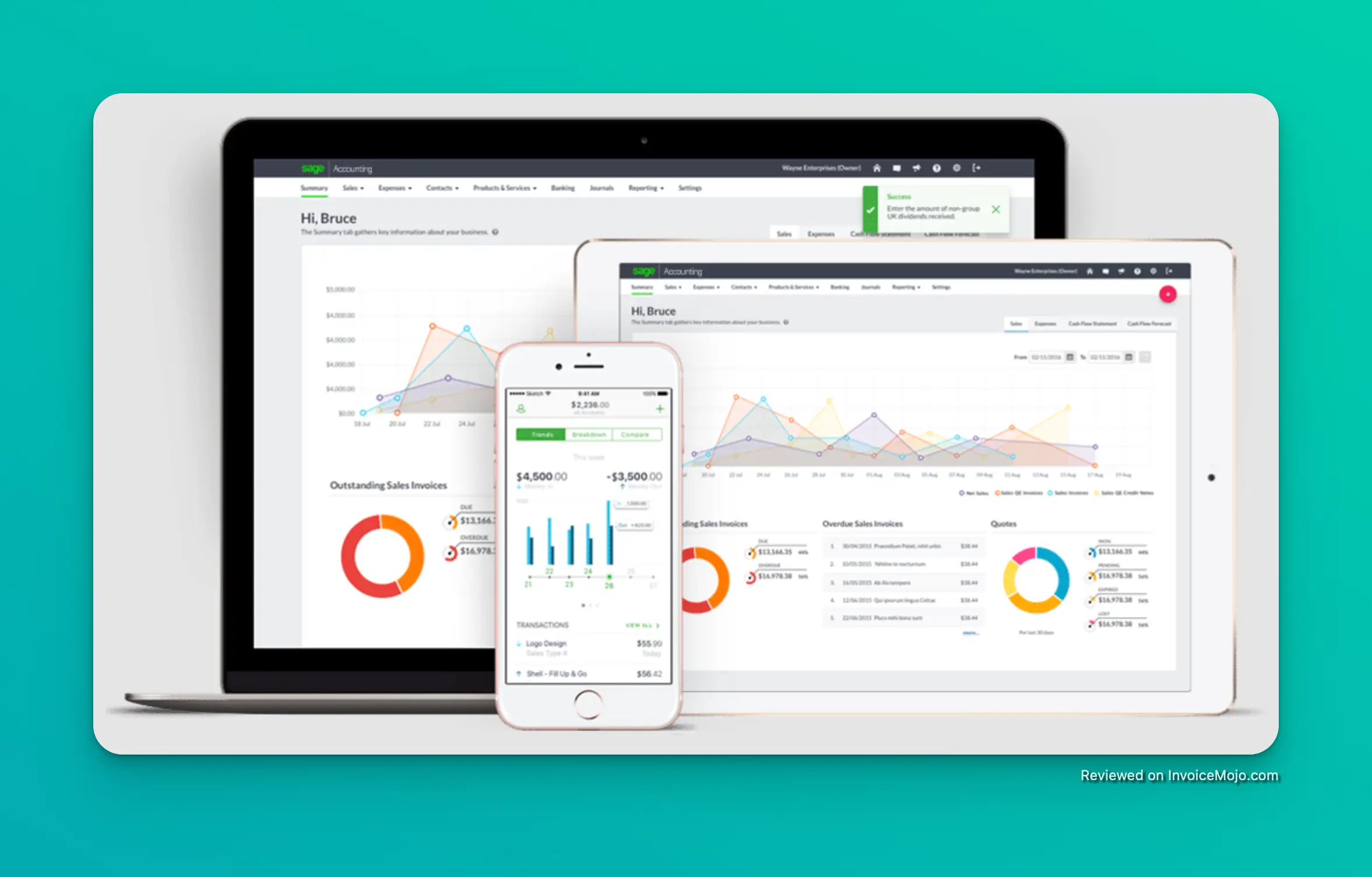
Sage is accessible on desktop and mobile
When it comes to generating reports, Sage offers all the essential statements and more:
These accounting tools provide valuable insights into your business health. Notably, Sage includes some reports (like A/R and A/P aging) in its $25/month plan that certain competitors like QuickBooks Online only offer in higher tiers (QuickBooks requires at least their $60/month plan for comparable A/R reports).
For businesses that need inventory management features, Sage Accounting’s inventory tools can be a game changer. While the basic Start plan does not include inventory tracking, the Standard accounting plan ($25/month) comes with full inventory management built-in, similar to Sage 50’s inventory management features. This allows you to:
Sage Accounting even provides reports on stock movements and your best-selling products. By including inventory in its base Standard plan, Sage is more accessible to product-based small businesses – in contrast, QuickBooks Online doesn’t include inventory unless you pay for their much pricier Plus plan (~$90/month).
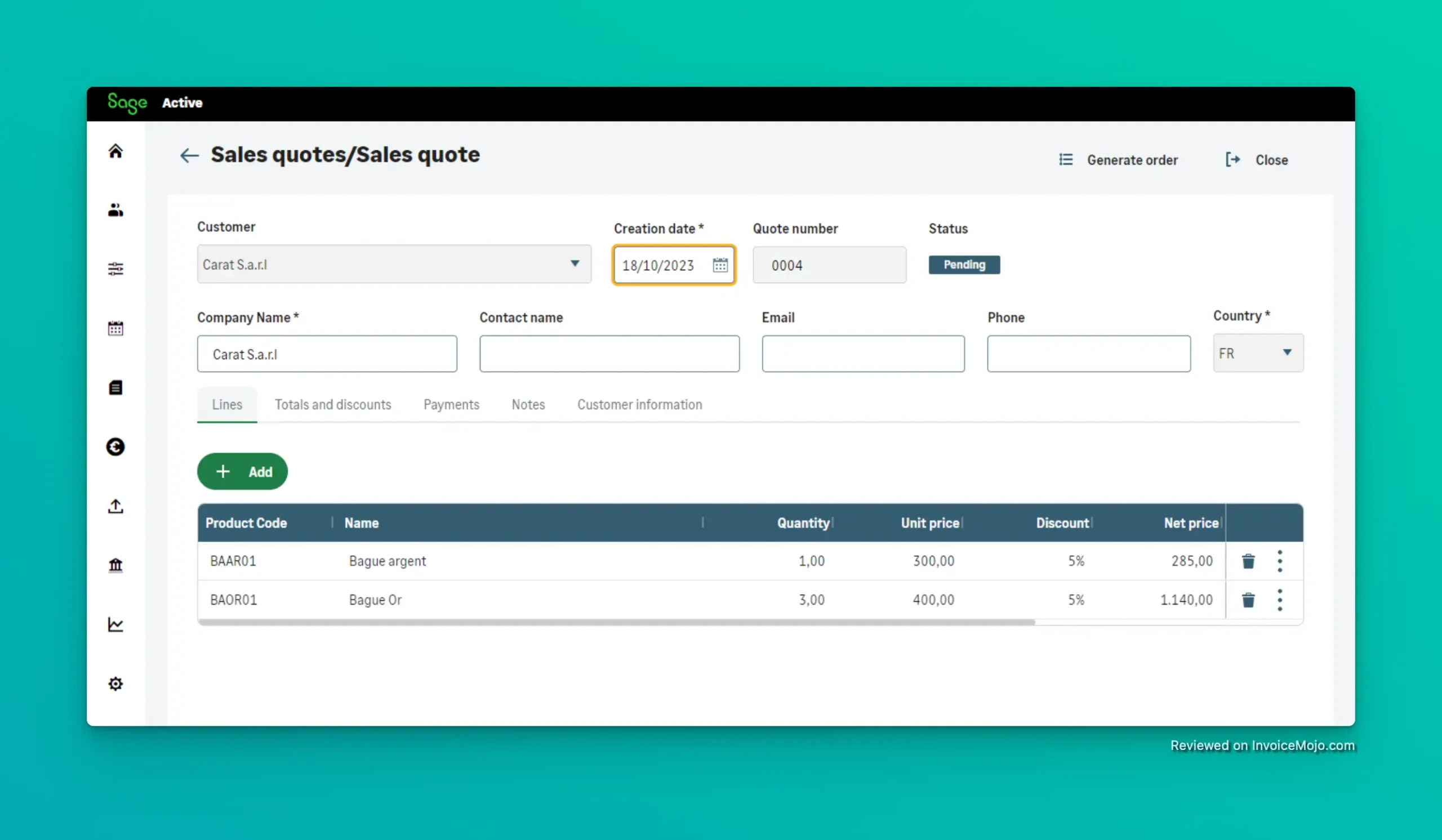
Creating a quote in Sage Accounting
If you do business internationally, Sage Accounting has you covered on the Standard plan. It supports foreign currency invoicing and multi-currency transactions. You can bill clients in their local currency and the accounting software will handle the exchange rate calculations and gain/loss tracking. This feature, included at $25/month, is valuable for freelancers or import/export businesses dealing in USD as well as other currencies. Some competitive accounting software options charge extra for multi-currency support or reserve it for higher tiers.
While Sage doesn’t have a dedicated project management module like some accounting applications, it does allow you to tag transactions by departments, projects, or cost centers for internal tracking. This means you can analyze income and expenses for specific projects or business segments by applying categories or using the built-in analysis fields. It’s not as comprehensive as a full project accounting system, but it provides a workaround for basic job costing. However, if your business requires robust time tracking or job costing (for example, billing hours to specific client projects), Sage Accounting might feel limited – it currently lacks built-in time tracking and mileage tracking features.

Sage Accounting Dashboard
Sage Accounting Software can integrate with dozens of third-party apps through the Sage Marketplace. This includes connections to e-commerce platforms, payment processors, CRM tools, and more. For instance, you can connect Stripe for payments or Shopify for online sales. There’s also an integration for Sage Payroll (if you choose to use payroll software) and other Sage products. One thing to note is that Sage’s own payroll service is the only payroll integration option – Sage Business Cloud Accounting does not directly integrate with popular third-party payroll software providers. Common add-ons (for additional fees) include advanced tools for receipt scanning (AutoEntry), time tracking, and credit control. The accounting software’s API also allows custom integrations for tech-savvy users or developers.
Unlike many entry-level accounting software packages, Sage allows multi-user access (on the Standard plan) without extra cost. The Accounting Start plan is single-user (intended for one user or sole proprietor), but the Standard plan lets you invite unlimited users to the accounting system and assign role-based permissions. You can also give your external accounting professionals access via the Sage Accountant Edition – they send you an invite and, once approved, can directly review your accounting data online. The ability to have your accountant log in and grab the data they need (while you retain control) makes year-end and tax prep much easier. Sage’s multi-user support at no additional charge (on the $25 plan) is a notable advantage over competitive accounting software that often charges per user.
As a cloud-based accounting software, Sage Accounting is accessible from any web browser – Windows, Mac, or Linux – with your secure login. There’s no software to install for the core product, unlike desktop accounting software options. Sage also offers a mobile accounting app for iOS and Android, so you can check your finances or send invoices on the go. The mobile app is well-rated on iOS (around 4.2★) and somewhat lower on Android (around 3.1★), indicating a generally positive user experience on iPhone and an average experience on Android. With the accounting app, you can capture receipts using your phone camera, create invoices or quotes, and view basic reports. All data syncs instantly across devices thanks to the cloud-based accounting software platform.
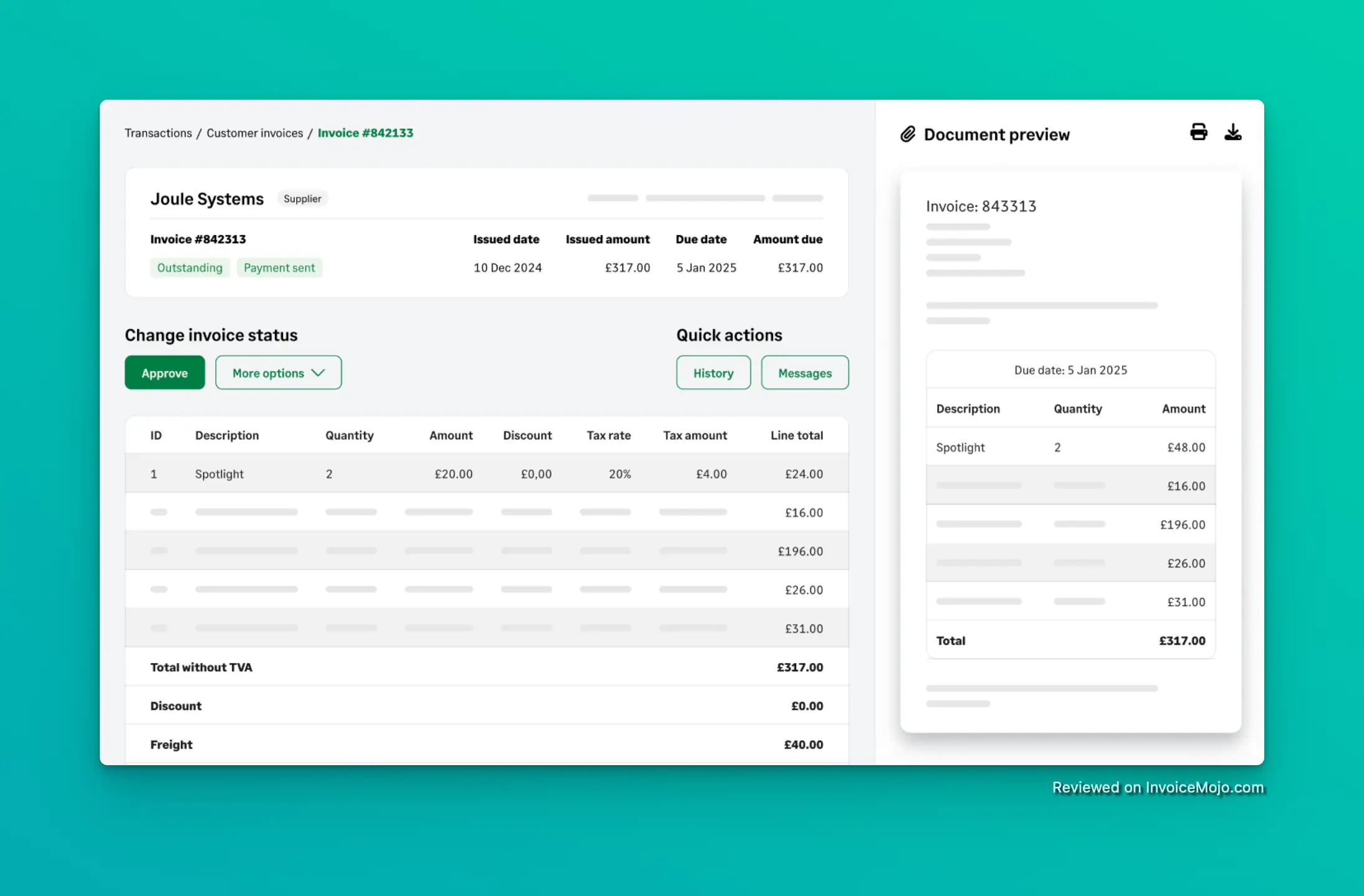
An invoice created in Sage Accounting
Sage offers straightforward pricing with two main subscription plans in the US:
This is the entry-level accounting plan aimed at sole proprietors, freelancers, and very small businesses who need basic accounting. Accounting Start includes:
However, Start is somewhat limited: it operates on cash-basis accounting (no accrual ledgers for payables/receivables), meaning you won’t have formal bills or purchase order modules. It also lacks advanced features like inventory, quotes/estimates, multi-currency, and forecasting. This accounting software plan is ideal for a freelancer or new business that mainly needs to send invoices and track income/expenses.
This is Sage’s full-featured accounting plan for growing small businesses. It includes everything in Accounting Start, plus:
Considering everything it offers, this accounting software plan is competitively priced – “At $25 per month, Sage’s top-tier plan is still more affordable than some competitors’ least expensive plans, and it includes key reports and capabilities.” For example, QuickBooks Online’s Simple Start ($30) lacks many features that Sage offers at $25, and you’d have to pay $85+ for QuickBooks to match Sage’s inventory or multi-user support. Many small business accounting software users chose Sage 50 or Sage Accounting for this reason. This plan is best suited for small businesses that need a fuller accounting system – such as those selling products, operating in multiple currencies, or requiring multiple staff/accounts to access the books.
Both plans come with a free 30-day trial (no credit card required). Sage often runs promotions as well – for instance, new customers may see offers like “75% off for 6 months” or similar when they sign up for Sage Accounting. There is no free forever version of Sage Accounting Software (unlike Wave which is free, or Zoho Books which has a free tier).
Some functionalities require additional Sage products or add-ons at extra cost:
| Pros | Cons |
|---|---|
| Affordable, competitive pricing – Sage offers plans that cost less than many other accounting software options | Limited features in basic plan – Sage Accounting Start lacks bill tracking, time/mileage logs, and inventory |
| Robust feature set (on Standard plan) – includes inventory management, multi-currency, and advanced reports at $25/month | Add-on costs for some extras – e.g. payroll software, advanced receipt scanning, or time tracking require additional subscriptions |
| Cloud-based convenience – access your accounting data anywhere; includes a solid mobile accounting app for iOS/Android | Learning curve for newcomers – not as simplified as some freelancer-only tools; beginners may need time with the accounting program (though 92% find it easy after that) |
| Unlimited users on Standard – collaborate with your team or accounting professionals without extra cost | Occasional performance hiccups – users report occasional slowdowns with very large datasets and some bank feed connectivity issues |
| Strong customer satisfaction – high ratings (around 4.2★–4.5★) on user review sites for reliability and accounting features | Customer support not 24/7 – support is weekdays only; heavy reliance on online help articles can frustrate those wanting immediate help |
To provide a balanced perspective, let’s look at feedback from real Sage accounting software users across several popular review platforms: TrustPilot, G2, PCMag Editors’ Select and review products sections.
On TrustPilot, Sage Business Cloud Accounting holds an “Excellent” rating, averaging about 4.4 to 4.6 out of 5 stars based on tens of thousands of customer reviews. Many small business owners applaud the software’s ease of use and functionality. Users often mention that Sage Accounting is “user-friendly” and simplifies their accounting work.
In fact, Sage also offers one of the better customer service reputations in the accounting software market – over 14,000 TrustPilot users give Sage a positive review with an average of 4.5★, frequently calling out its “responsive customer service and quick response to technical problems.” This suggests that Sage’s support team is generally effective in helping users (though support is not 24/7).
Many appreciate the cloud accessibility and the fact that they can handle accounting and financial management without deep accounting knowledge. The software’s accuracy in calculations and generating reports is frequently praised – one user said the reports are “too detailed and loved by the accountants”, implying that Sage’s thorough reports meet professional accounting standards.
Not all users have a perfect experience with the accounting system. Some consistency issues and limitations are pointed out in reviews:
Positive review feedback dominates overall. Users who chose Sage 50 or Sage Accounting frequently mention benefits like: being able to access their accounting data from anywhere, saving time on invoicing and reconciliations, and gaining confidence that their numbers are accurate.
Yes – Sage Accounting is designed with small business owners in mind, not just accounting professionals. The interface is intuitive and Sage offers helpful onboarding tools. 92% of users report that Sage is easy to learn and use, even without prior experience with accounting software.
Unlike Sage 50 (formerly Peachtree Accounting), which is desktop accounting software, Sage Accounting is fully cloud-based with no installation required. Many users appreciate that Sage Business Cloud Accounting offers modern accounting features with anywhere access, though Sage 50’s inventory management may be more robust for larger businesses.
It depends on your needs. Sage offers better value: the $25 plan includes features QuickBooks charges $85+ for (inventory, multi-user). Read our QuickBooks Online review to learn more about the differences, but many small business accounting software users appreciate that Sage offers similar functionality at lower cost.
Yes, although Sage 50 (formerly Peachtree accounting) and Sage Business Cloud Accounting are different products. Sage 50 includes more advanced features for larger businesses, with Premium Accounting and Quantum Accounting tiers, though Pro Accounting costs more than Sage’s cloud solution.
Sage Accounting Software stands out as an impressive value proposition for freelancers and small business accounting. For a fraction of what competitors charge, you get a comprehensive accounting solution that handles everything from basic accounting to inventory management and multi-currency support. The Standard plan at $25/month is particularly noteworthy – offering unlimited users, full inventory capabilities, and advanced reporting that would cost $85+ with QuickBooks Online. This makes Sage one of the best accounting software choices for small retailers, product-based businesses, and growing companies watching their budget. While Sage isn’t perfect – lacking built-in time tracking and requiring add-ons for payroll software – these limitations won’t affect many small business accounting software users. The consistently high ratings (4.2-4.5 stars across platforms) confirm that Sage delivers on its promises for most users. Sage Accounting Software is best suited for:
With its cloud-based convenience, strong mobile accounting app, and solid financial reporting, Sage offers small business owners the accounting tools they need to stay on top of their finances without overpaying for features they won’t use. The 30-day free trial makes it easy to see if this accounting software is the right fit for your small business accounting needs.